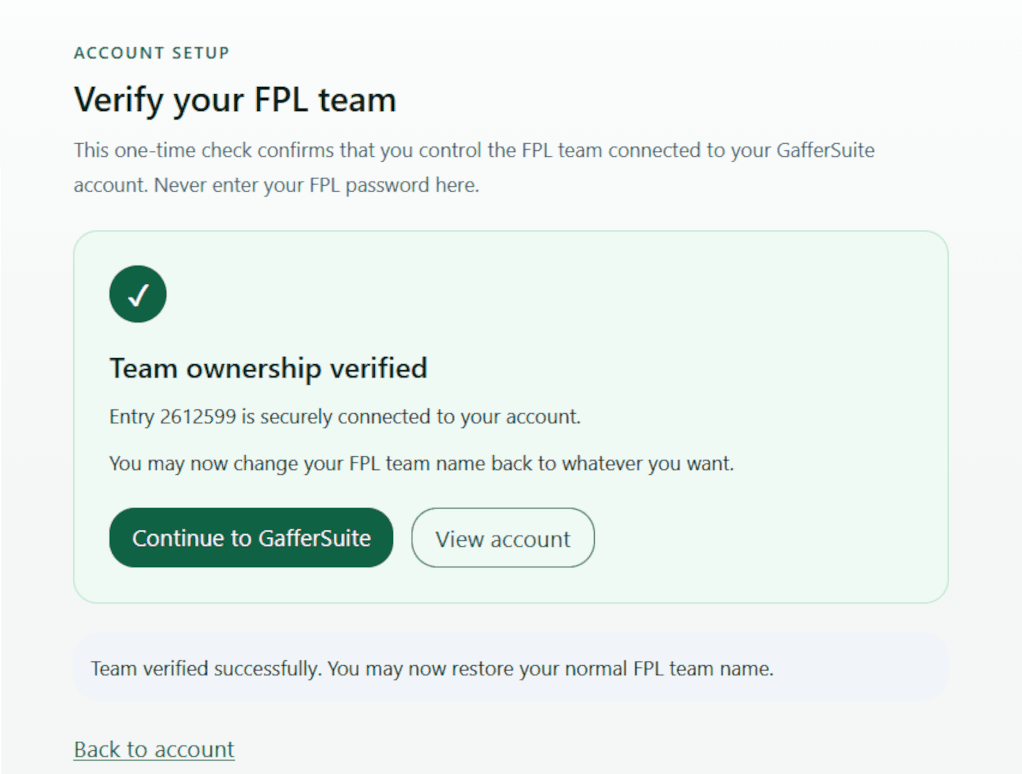
1. Open your FPL Points page
Open the official Fantasy Premier League website in a web browser and sign in. Select Points from the Fantasy navigation.
Help & Support
Linking your FPL team lets GafferSuite personalise your Gameweek Hub, Assistant Manager, Mini-League Analyser and other squad-based features.
GafferSuite never asks for your FPL password. We only use your public FPL Entry ID and a one-time team-name check to confirm that the team belongs to you.
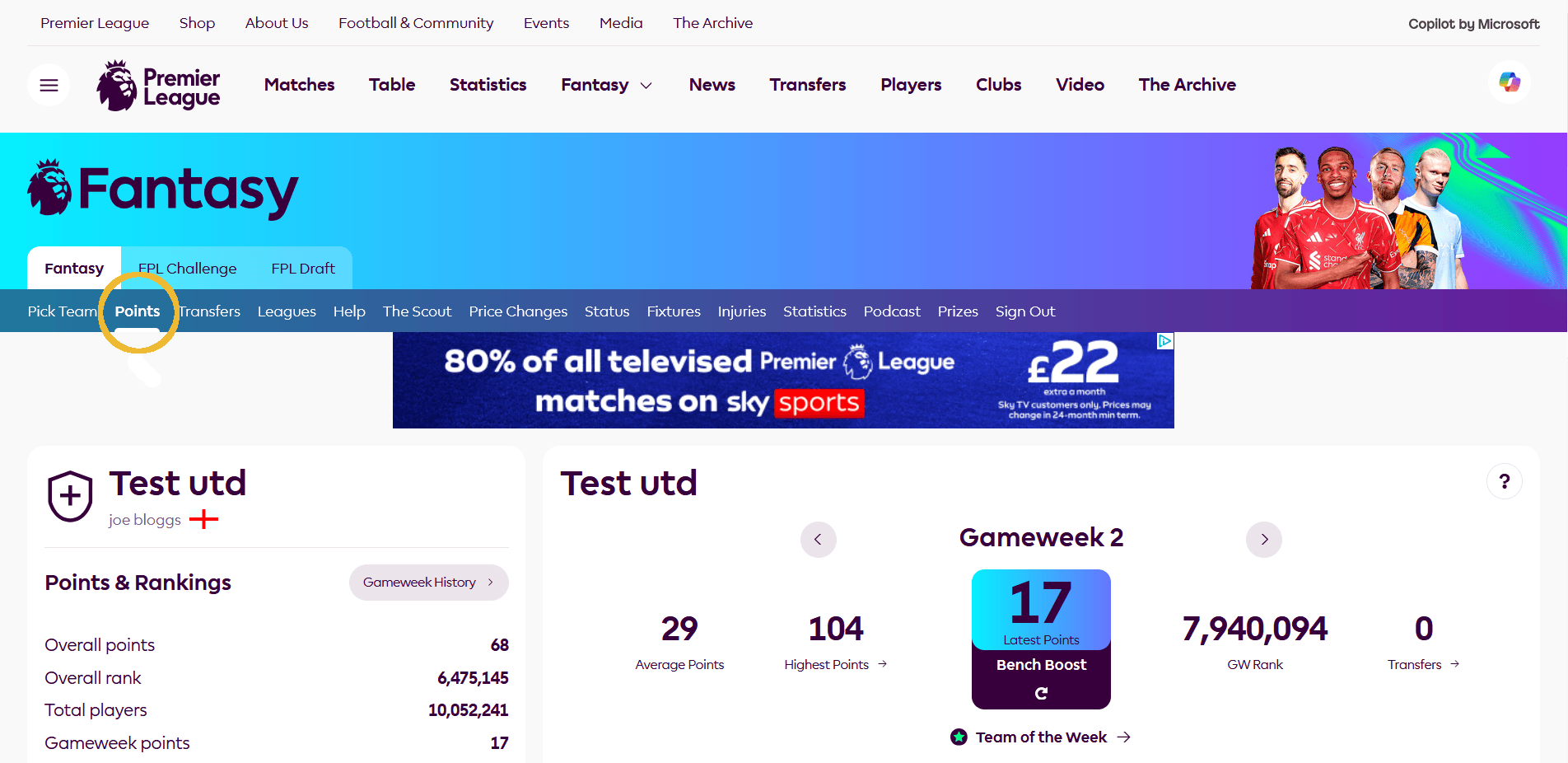
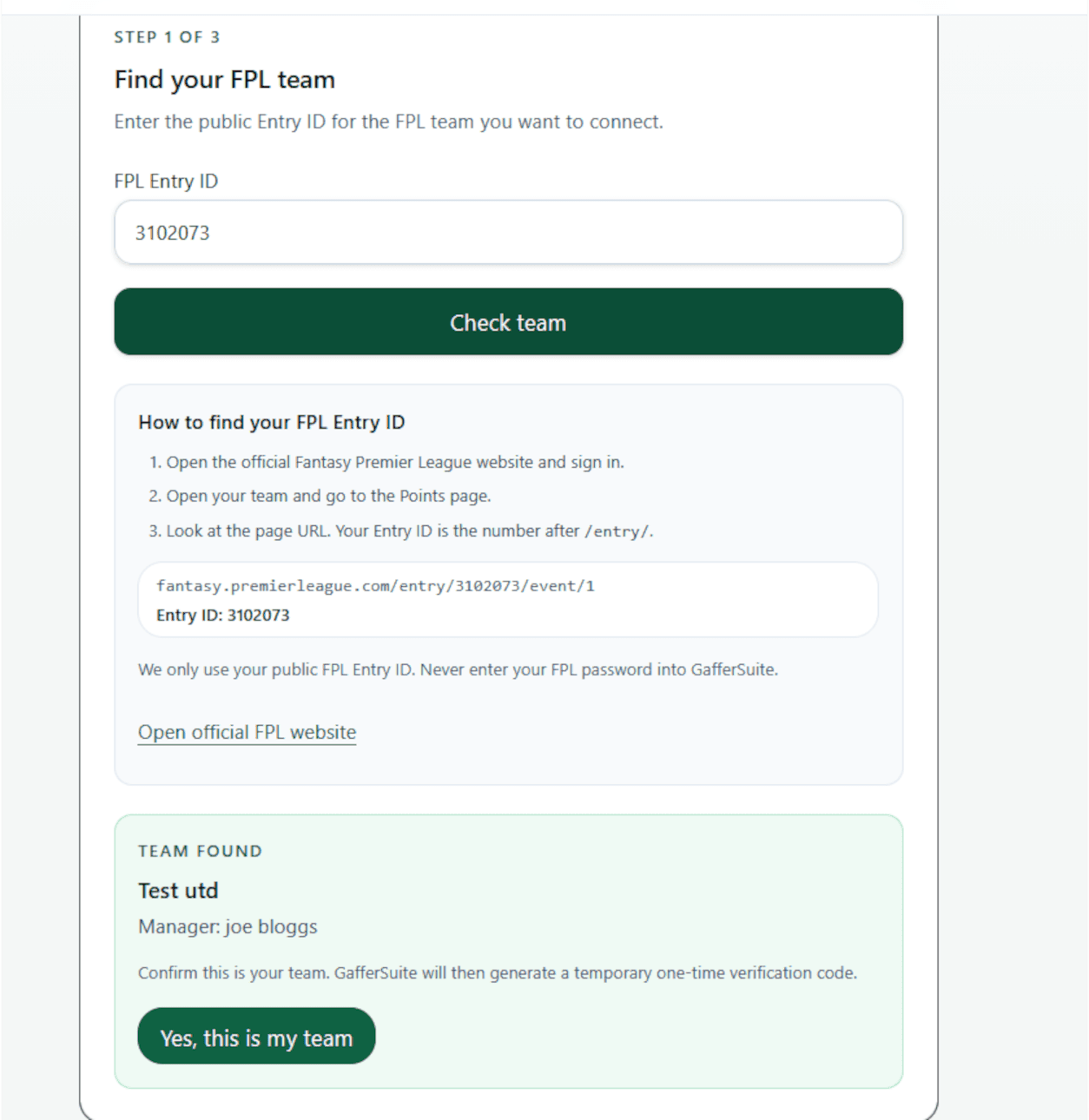
Look at the browser address bar. Your Entry ID is the number immediately after /entry/ in the URL.
fantasy.premierleague.com/entry/3102073/event/2
Entry ID: 3102073
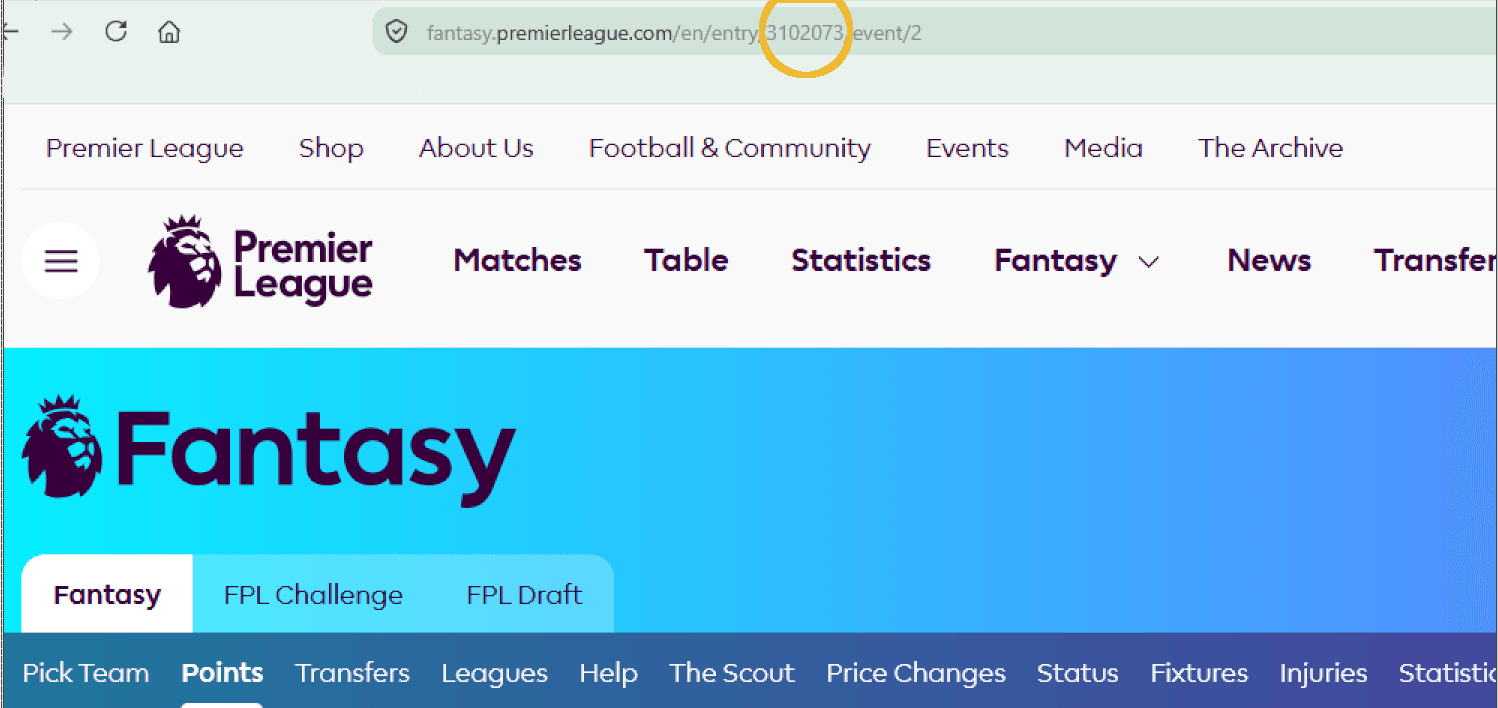
GafferSuite will show the FPL team and manager associated with that Entry ID. Check the details carefully.
If they are yours, select Yes, this is my team.
After you confirm the team, GafferSuite generates a temporary one-time verification code.
Copy the code. You will temporarily use it as your FPL team name to prove that you control the team.
The code expires, so complete the remaining steps while the timer is active.
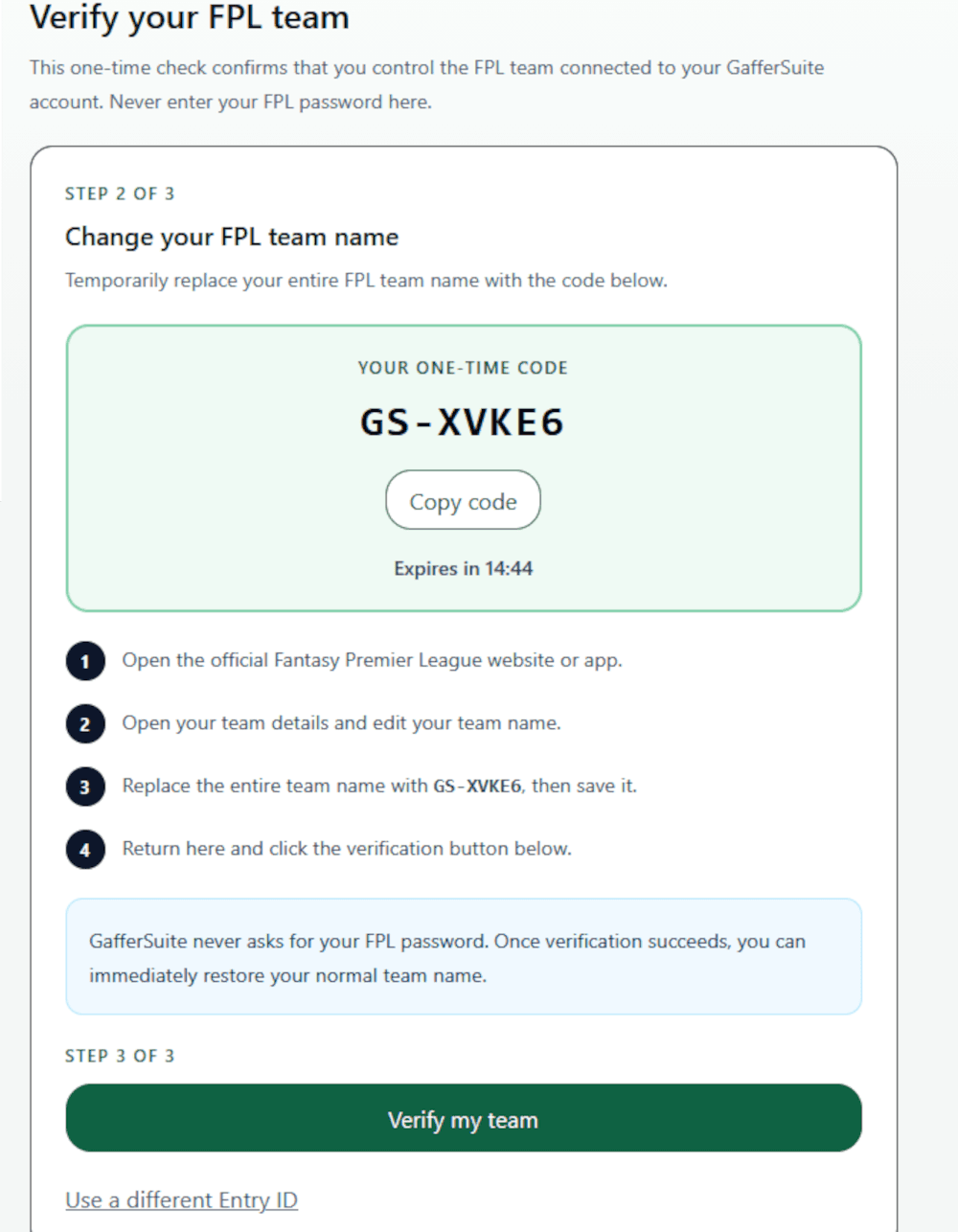
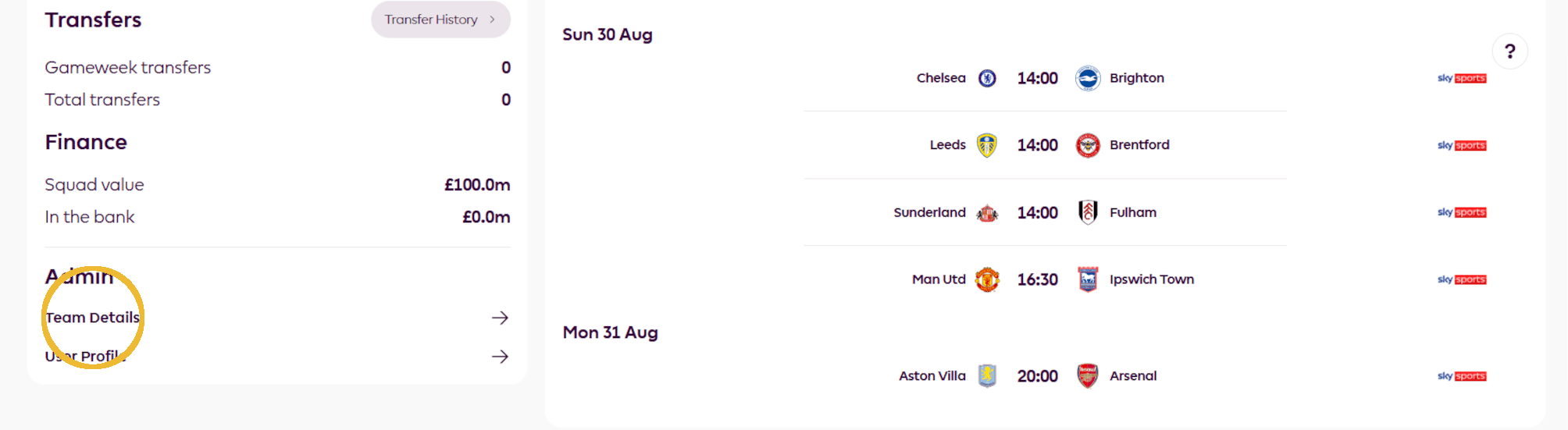
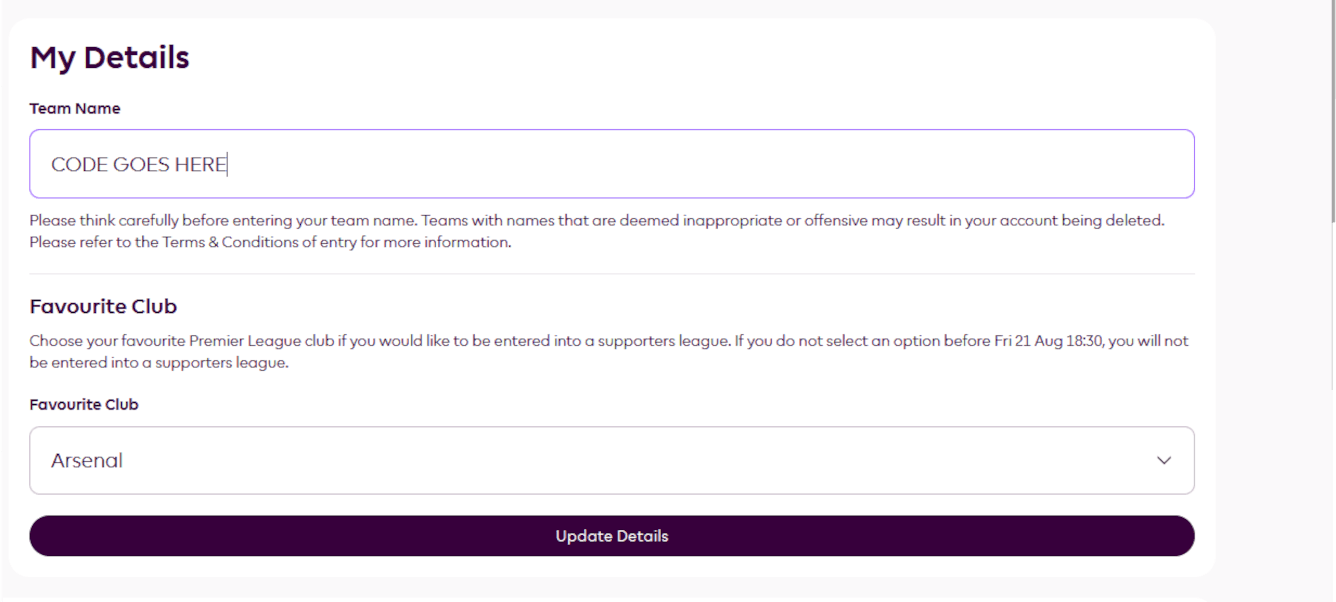
Replace your entire FPL team name with the one-time GafferSuite code and save your details.
Then return to GafferSuite and select Verify my team.
Once verification succeeds, you can immediately change your FPL team name back to its normal name.
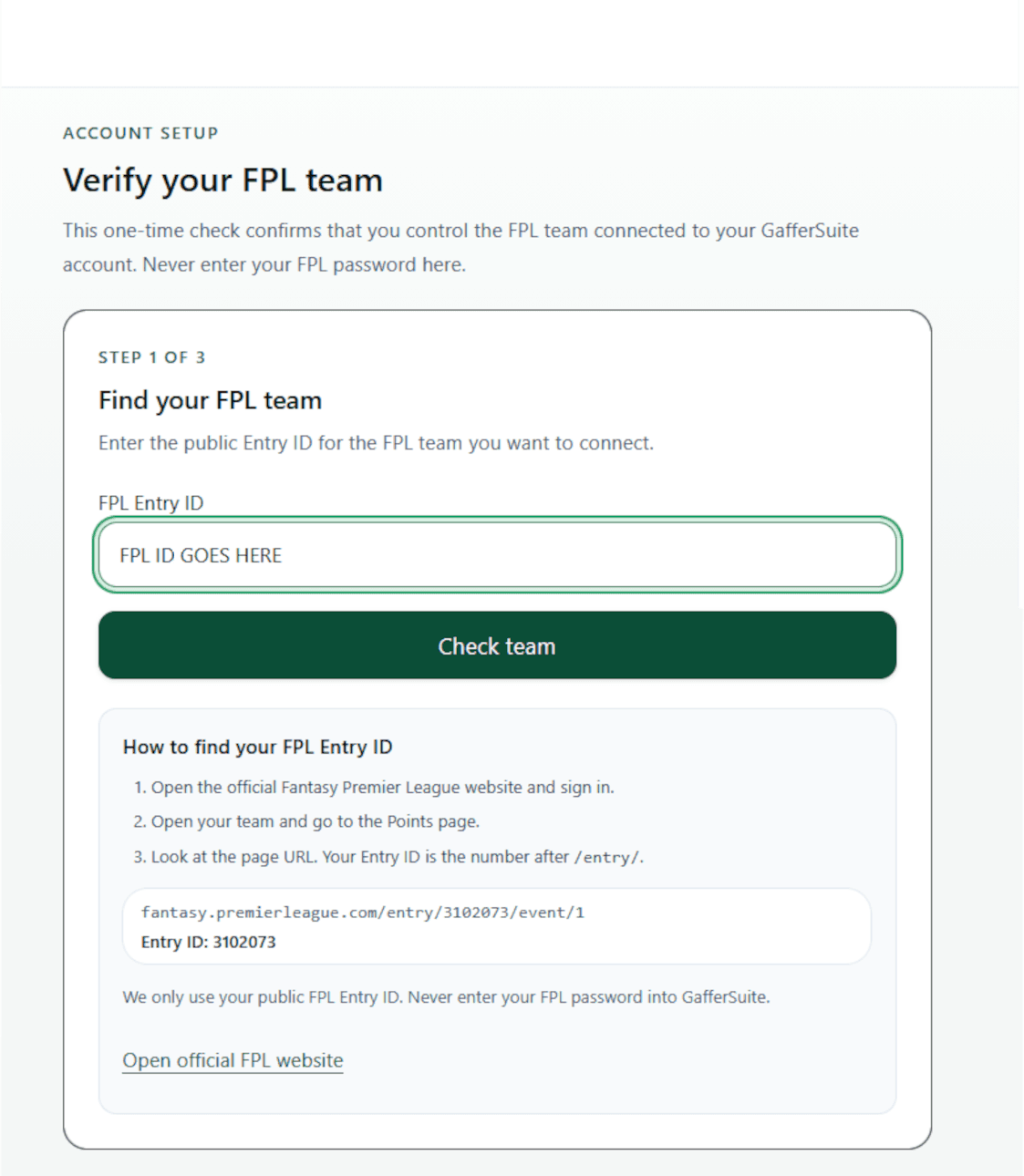
Once GafferSuite confirms ownership, your FPL team is securely connected to your account.
You can now immediately restore your normal FPL team name.